Essential for E-commerce Professionals: Step-by-Step Guide to Saving Temu's HD Main Product Videos!
Say goodbye to blurry screen recordings—learn how to directly obtain official-quality source footage.
Simple operation—even beginners can master it in minutes to get high-definition assets!
Achieve this with just one small plugin—we recommend the “MeowLoad” extension.
Click the link below to install now.
Chrome Browser Extension Installation : https://chromewebstore.google.com/detail/meowload-videoliveaudioim/gnplpcfnikehohdgnfnfcienljcbaogj
Edge Browser Extension Installation : https://microsoftedge.microsoft.com/addons/detail/meowload-videoliveaud/mfmeocjfdcmipdcebfdgpncpmcddmech
Installation Guide : How to install the MeowLoad browser extension?
🔔OK, let's see how to proceed.
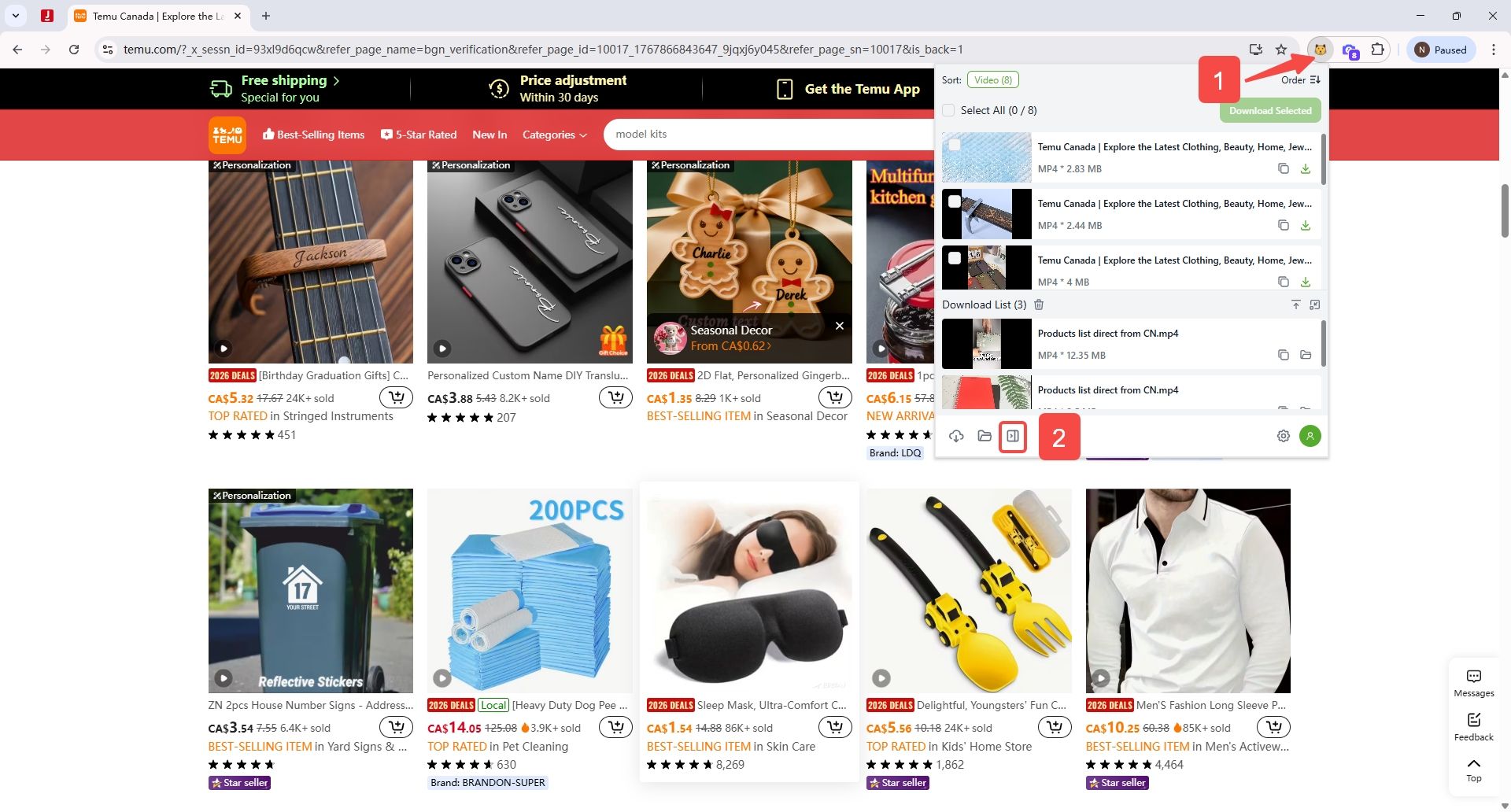
Step 1: Open the extension
After installing the plugin, click its icon and it will automatically detect videos available for download.
Step 2: Open the download list
Clicking the third icon in the bottom-left corner will display the downloadable list as a sidebar.
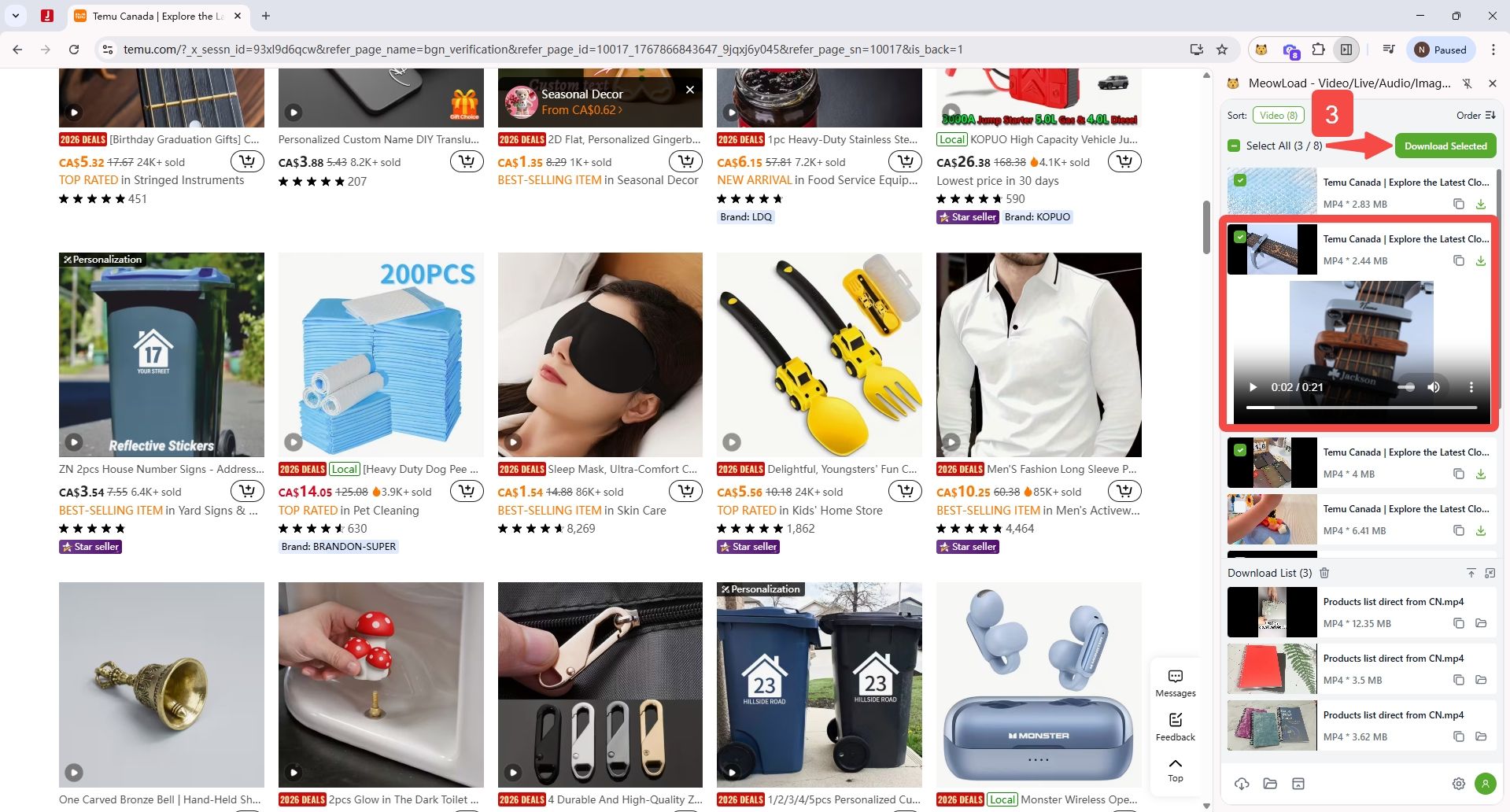
Step 3: Select and download
Select the video you require and click to download. Click the video thumbnail to preview the video.
Step 4: View the saved video
Once the download is complete, click the folder icon to view the video you have just saved.
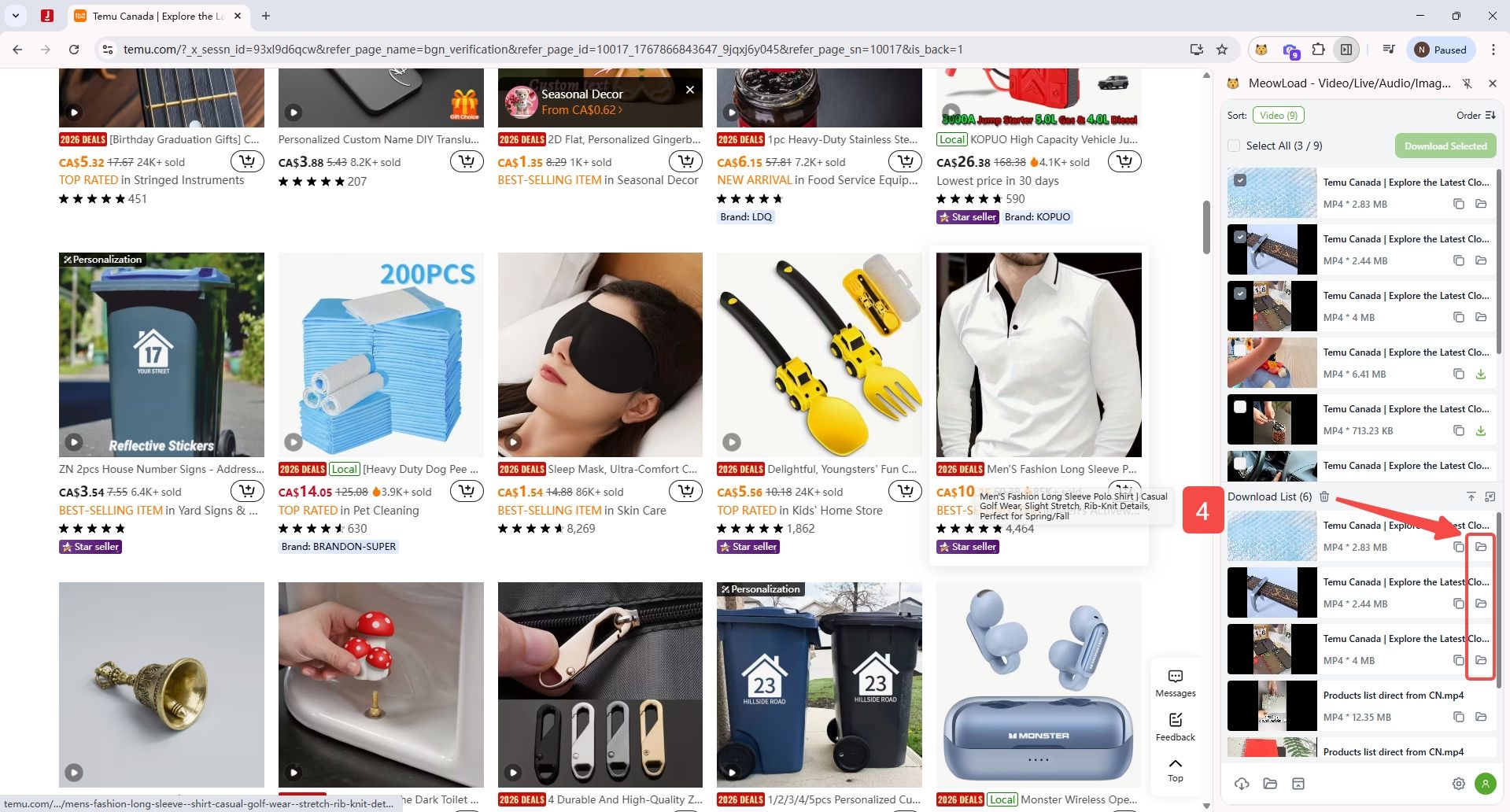
Download complete. Just a few simple steps. You can now save your required audio, video, and image content more efficiently.